
How to TOP UP
Hello everyone,
First and foremost, we want to express our heartfelt thanks to those who are willing to donate to our server.
While donations are not required, they are greatly appreciated and play a crucial role in helping us cover operational and machine expenses necessary for running our beloved server.
As a token of our gratitude, we offer E-POINTS in return for your donation.
E-POINTS are our in-game currency that can be used to purchase essentials items and some items to strengthen your character.
You can view and buy items in our item shop inside the server by clicking on the item shop icon.
You can send payments on the informations below.
GCASH INFO:
GCASH NAME : R-jay Santos
GCASH NUMBER : 09650934957
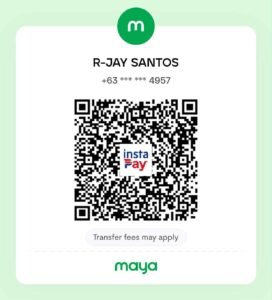
MAYA INFO:
MAYA NAME : R-jay Santos
MAYA NUMBER : 09650934957

ONCE DONE SENDING PAYMENT
Once done sending payment. Follow this procedure.
First take a screenshot of "RECEIPT" and "Full Transaction Slip"
Example: